
In 2026, “blank page syndrome” is officially dead. The 450% surge in interest for the best mind mapping tools reveals a massive shift: we’ve moved from manually drawing nodes to collaborating with visual intelligence. With AI now turning a single prompt into a structured roadmap in seconds, your productivity stakes have never been higher. Whether you’re a student or a CEO, choosing the right “thinking environment” is the key to mastering complex information.
But which software actually delivers on the hype? Let’s dive into the definitive tools redefining how we think, create, and collaborate in this new digital era.

Why Choosing the Best Mind Mapping Tools Matters in 2026
In the fast-paced digital world of 2026, our approach to brainstorming has undergone a radical change. Gone are the days when a mind map was just a static set of circles and lines on paper. Today, the top mind mapping tools have become intelligent hubs that do more than simply store your thoughts—they also help you generate ideas.
Whether you are a student trying to break down a complex medical thesis or a project manager coordinating a global team, the right software acts as a “second brain.” With the recent 300% surge in interest for AI mind mapping, the market has shifted from simple drawing apps to sophisticated, AI-enhanced platforms that can turn a single sentence into a fully structured project roadmap in seconds.
If you’ve read our previous guides on mind mapping, you know that the “structure” is only half the battle. The other half is the “tool.” In this guide, we’ve tested and curated the top performers for 2026, focusing on three critical pillars: AI integration, ease of use, and collaborative power.
The Rise of the Intelligent Canvas
Why is everyone suddenly looking for the best mind mapping tools? It’s because the “blank page syndrome” is finally being addressed. Traditional brainstorming often stalls when you can’t find the next logical branch. Modern tools solve this by providing AI “expand” features. You provide a central idea—such as “Sustainable Urban Development”—and the software suggests related branches, including “Green Infrastructure,” “Renewable Energy Grids,” and “Policy Frameworks,” automatically.
As technology advances, the fundamental psychological benefits of this technique stay timeless. Before mastering digital tools, it’s helpful to revisit the basic science of Mind Mapping: Transform Your Thinking and Boost Creativity, and how it reorganizes your thoughts to enhance memory retention.
This shift toward online mind mapping with AI isn’t just about speed; it’s about depth. These tools now combine with your research, pulling data from the web or your own documents to add context to your map. As we go through our top 10 list, you’ll see that the best software in 2026 isn’t just a digital whiteboard—it’s a collaborative partner that thinks along with you.
The 2026 Comparison: Finding the Best Mind Mapping Tools for Your Workflow
Moving from the “why” to the “how” requires a clear understanding of the landscape. Since the market for online mind mapping is more crowded than ever, I’ve broken down the top contenders based on the most common needs we see in 2026: AI power, collaborative flexibility, and cost-effectiveness.
To help you decide at a glance, here is a comparison of the top-tier brainstorming tools currently leading the industry.
Quick Comparison: Top 5 Mind Mapping Software
1. Miro: The Heavyweight Champion of Collaboration
If you’ve ever been part of a remote team, you probably know about Miro. By 2026, it will have become one of the leading mind mapping tools for large-scale workshops.
Why it’s a game-changer: Miro isn’t just a mapping tool; it’s an endless canvas. Their “Miro Assist” AI can now take a chaotic pile of digital sticky notes from a team meeting and instantly organize them into a coherent mind map.
- The Transition: While Miro handles the “big picture” for teams, those looking for a more structured, personal approach often lean toward specialized software like Xmind.
2. Xmind AI: Where Aesthetics Meet Intelligence
Xmind has long been the gold standard for beautiful diagrams. In its 2026 “AI” iteration, it bridges the gap between manual creativity and automation.
- The Standout: It offers “Zen Mode,” which is perfect for focused brainstorming without distractions. Its AI can now predict the next three levels of your map based on your central keyword, making it a favorite for writers and strategists.
3. Mapify: The Researcher’s Secret Weapon
Mapify represents the “new school” of AI mind mapping. Instead of starting with a blank canvas, you start with a source.
- The Hook: You can paste a link to a 20-minute YouTube video or upload a 50-page PDF, and Mapify will extract the core concepts and build the map for you. For students and researchers, this is easily the most efficient way to digest complex information.
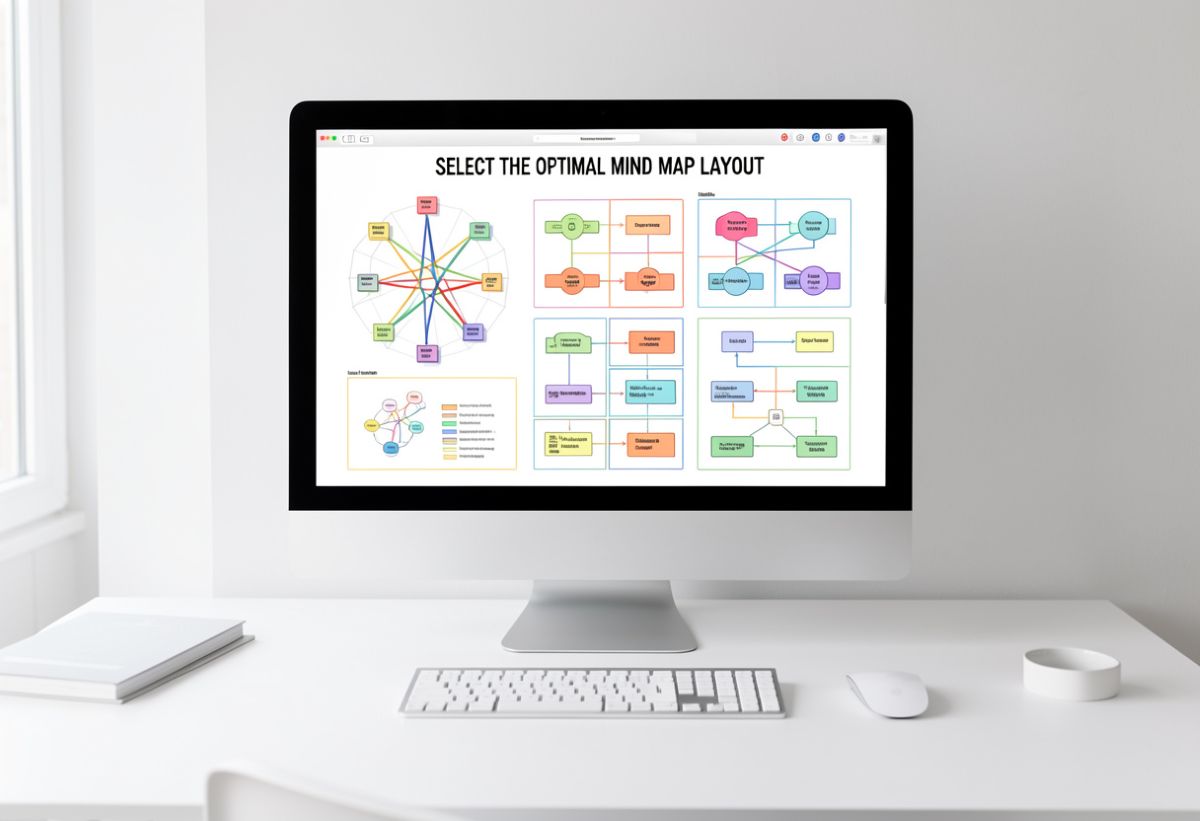
Selecting a high-powered tool is only half the battle; you must also ensure the layout matches your cognitive goals. Before you commit to a platform, it’s worth learning how to Mapping Your Mind: Choose the Right Mind Map for Every Task, so you can align your visual structure—whether it’s a fishbone, spider, or logic chart—with the specific problem you’re solving.
How to Choose the Right Tool for Your Goals
Selecting from the best mind mapping tools depends entirely on your end goal. Are you trying to organize your personal life, or are you building a corporate roadmap?
- For Teams: Prioritize real-time syncing and “commenting” features (Miro, MindMeister).
- For Content Creators: Look for “Markdown” export and AI summarization (Xmind, Mapify).
- For Beginners: Stick with browser-based mind mapping software free versions to get a feel for the workflow (Coggle, GitMind).
While my top picks focus on AI-driven efficiency, the broader enterprise landscape is shifting toward integrated project management. For a look at industry standards, you can explore the 22 Best Mind Mapping Software For Teams In 2026 at The Digital Project Manager.
How to Master AI Mind Mapping: A Step-by-Step Productivity Workflow
Transitioning from a traditional notebook to an intelligent canvas can feel like a big leap. However, the true power of the best mind mapping tools in 2026 isn’t just in the software itself—it’s in how you direct it.
Think of AI as a junior researcher. It has access to vast amounts of data, but it relies on your human intuition to capture the “soul” of the project. Here’s how to combine human creativity with machine efficiency in four simple steps.
Step 1: Start with a “High-Resolution” Prompt
In the past, you’d start a mind map with a single word like “Marketing.” Today, to get the most out of AI mind mapping, you need to be more specific. Instead of “Marketing,” try: “Outline a 6-month digital marketing strategy for a boutique eco-friendly skincare brand targeting Gen Z in the United States.”
The Human Touch: The more context you provide, the less “generic” your map will feel. AI thrives on constraints. By defining your audience and timeframe, you’re giving the tool a clear North Star.
Step 2: Use the “Expand and Explode” Method
Once your tool generates the main branches (like Social Media, Email, and SEO), don’t stop there. This is where the best mind mapping tools prove their value. Use the “Expand” feature on a specific sub-topic that appears weak.
- Example: If the AI suggests “Social Media,” ask it to “Expand with specific TikTok content pillars for sustainability.”
- The Transition: This takes you from a broad overview to an actionable plan in seconds, a feat that manual mapping simply cannot match in terms of speed.
Step 3: Analyze External Sources (The “Mapify” Technique)
One of the breakout trends of 2026 is the ability to turn external content into visual maps. Many online mind mapping platforms now allow you to drop a PDF, a YouTube link, or a meeting recording directly onto the canvas.
- Pro Tip: Instead of spending an hour watching a webinar, let the AI “Mapify” it. You’ll receive a visual summary of the key takeaways, which you can then customize to suit your own project’s needs.
Step 4: Refine with Visual Hierarchy and “Zen Mode”
After the AI has done the heavy lifting, it’s time for the “Mastering” phase. Most top-tier brainstorming tools offer a “Zen Mode” or “Focus Mode.”
- Color-Code: Assign specific colors to priority levels (e.g., red for immediate tasks, green for long-term ideas).
- Add Icons: Use emojis or icons to denote “Action Items” versus “Research.”
- Humanize the Logic: AI might suggest a branch that doesn’t fit your brand voice—delete it. Your job is to curate the AI’s output until the map feels like yours.
Overcoming the “AI Blank Page” Syndrome
Even with the best mind mapping tools at your fingertips, you might still feel stuck. If the AI output feels too robotic, try the “Role-Play” prompt. Tell the software: “Act as a world-class creative director and critique this mind map. Suggest three unconventional branches that a typical marketer would miss.”
By shifting the AI’s persona, you unlock “lateral thinking”—a technique we explored in our. This ensures your final result isn’t just organized, but truly innovative.
Beyond Brainstorming: Stakeholder and Persona Mapping in Ethical AI Design
As we navigate the complexities of 2026, the best mind mapping tools are no longer just for personal productivity—they have become essential for corporate responsibility. A “Breakout” trend in search data reveals a growing question: Why is stakeholder and persona mapping a critical step in ethical AI design?
The answer lies in the “blind spots” of automated systems. When companies build AI, they often focus on the data and the code. However, without a visual map of everyone the AI touches, they risk creating biased or harmful systems. Mind mapping provides the ethical framework needed to see the human impact before a single line of code is written.
The Role of Stakeholder Mapping in AI
In the context of technology, a “stakeholder” isn’t just a shareholder; it’s anyone impacted by the AI’s decisions. Using online mind mapping software, design teams can create a “Power-Interest Grid” to visualize:
- Direct Users: Who interacts with the AI daily?
- Indirect Stakeholders: Whose data is being used, or whose jobs might change?
- Vulnerable Groups: Who might be accidentally marginalized by the algorithm?
The Transition: By laying these groups out on a visual canvas, teams can identify “friction points” where the AI might lack transparency or fairness. This turns a dry ethical checklist into a living, breathing strategy.
Persona Mapping: Giving “Data” a Human Face
While traditional mind mapping focuses on ideas, persona mapping focuses on people. In 2026, the leading mind mapping tools offer “Persona Templates” that help you create detailed, empathetic profiles of your users.
- Demographics & Psychographics: What are their goals, fears, and technical literacy levels?
- The “User Journey”: How will they feel when the AI makes a recommendation?
- Ethical Safeguards: What “guardrails” does this specific persona need to trust the system?
Using a tool like Miro or Lucidspark, you can link these personas directly to your project’s central branches. This ensures that every feature you brainstorm is grounded in a real human need, rather than just a technical possibility.
Why it Matters for Your Career
If you are a project manager or a developer, mastering this specific application of mind mapping is a significant career “breakthrough.” Companies are now legally required (under frameworks like the EU AI Act) to demonstrate “human-centric” design. Being the person who can facilitate an ethical AI mind map session makes you a valuable and indispensable asset in today’s workforce.
Once you’ve integrated these AI workflows into your routine, the next step is refining your focus to ensure your maps remain actionable. For a deeper dive into professional efficiency, explore our Ultimate Mind Mapping Guide: Improve Thinking & Focus and take your brainstorming to an expert level.
Free vs. Pro: Investing in the Best Mind Mapping Tools for Your Future
As we’ve explored, the landscape of online mind mapping in 2026 is divided into two camps: those who need a quick visual sketch and those who need a robust, AI-integrated second brain. Transitioning from a free tool to a paid subscription is a common crossroad for many professionals. To make this decision easier, let’s look at the “Value Gap.”
The “Freemium” Reality
Most of the best mind mapping tools—including industry leaders like Miro, MindMeister, and Xmind—offer generous free tiers. These are perfect if you are:
- Mapping out a personal goal or a simple study guide.
- Working on fewer than three active projects at once.
- Just starting to experiment with AI mind mapping features.
However, the “Free” versions often come with a hidden cost: Data Friction. You might find yourself unable to export high-resolution images for a presentation, or discover that the most powerful AI “Deep Research” features are locked behind a paywall.
When to Go “Pro”
If you are using brainstorming tools to manage a team or build a business, the $5 to $12 monthly investment for a Pro version usually pays for itself in the first week.
- Privacy & Security: Pro versions often include “Private Maps,” ensuring your sensitive business ideas aren’t sitting on a public-facing cloud.
- Unlimited AI Credits: In 2026, AI usage is metered. Pro users get priority access to the fastest models (like GPT-5 or specialized mapping LLMs).
- Advanced Exports: If you need to turn your map into a Gantt chart or a professional PDF report for a client, the Pro version is non-negotiable.
Final Verdict: The Breakthrough Choice
If you’re looking for the absolute best mind mapping tools to start your journey today, my recommendation is simple: Start with GitMind or Miro for their incredible free AI features. Once you feel your workflow speeding up and your ideas outgrowing the free board limits, that’s your signal that you’ve reached a “breakthrough” point—and it’s time to invest in a Pro license.
Frequently Asked Questions (FAQs)
Is there an AI that can create a mind map for me?
Yes, and this is the biggest shift in 2026. Tools like Miro Assist, Whimsical AI, and Boardmix can generate complete mind maps from a simple text prompt. Instead of manually drawing nodes, you can provide a topic like “Create a product launch timeline,” and the AI will build the entire hierarchy for you in seconds.
What is the best mind mapping software for beginners?
For those just getting started, GitMind and Coggle are the top choices. They provide simple interfaces that prioritize ease of use over complex features. If you’re already using a workspace tool, Notion AI now lets you visualize your page outlines as mind maps, making it easy for beginners to transition smoothly.
Can I do mind mapping for free?
Absolutely. Most leading platforms follow a “freemium” model. Miro and MindMeister allow you to maintain up to three editable boards for free. If you need unlimited maps without a subscription, XMind offers a robust free version, though some advanced AI and export features may be restricted.
How does mind mapping help in Ethical AI Design?
As seen in recent “Breakout” trends, mind mapping is now a standard tool for Stakeholder and Persona Mapping. It allows developers to visually trace the impact of an algorithm on different human groups, ensuring that fairness and transparency are “baked in” to the project from the start.
Is mind mapping better than traditional note-taking?
In 2026, research continues to show that the non-linear nature of mind maps aligns better with how the human brain processes information. While traditional outlines are great for storage, mind maps are superior for synthesis and creativity, helping you see the “big picture” that linear notes often hide.

Leave a Reply