
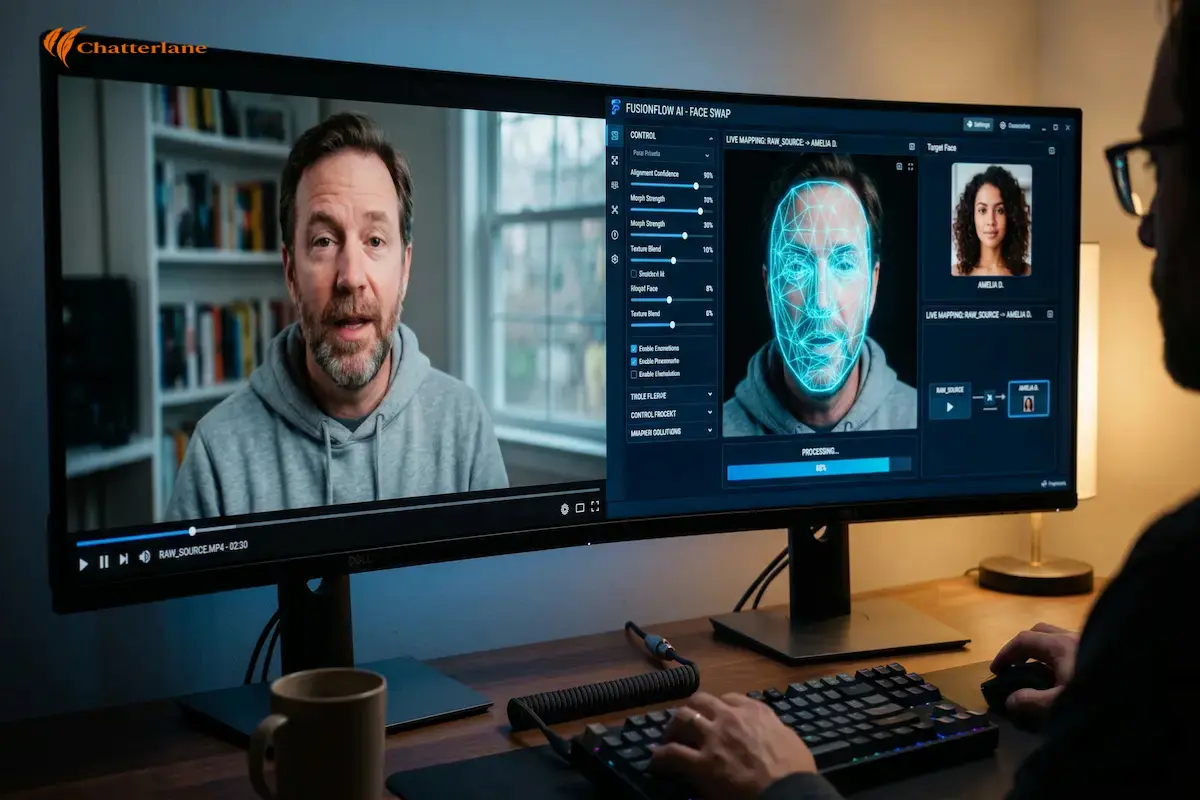
Have you ever scrolled through your feed and seen a video that made you pause and wonder if your eyes were playing tricks? In 2026, we are witnessing a digital revolution where anyone can use a face-swapping tool to change reality. Whether you are curious about the technical “how-to” or asking “what are deepfakes” out of concern for privacy, the answer lies in the software.
Today, powerful tools like FaceFusion 3.6.1 and Roop-Floyd have moved from niche forums into the mainstream spotlight. This shift has made it easier to create synthetic media, but harder to distinguish between a genuine moment and an illusion. This article serves as your roadmap to understanding how these tools work and how to navigate this synthetic world with total confidence.
The Digital Identity Revolution
Have you ever wondered how a single face-swapping tool can completely change our perception of reality in just a few clicks? In 2026, we are no longer just looking at funny memes; we are witnessing a digital revolution where anyone can swap identities with startling accuracy. Whether you are curious about the technical “how-to” or asking “what are deepfakes” out of concern for digital safety, the answer lies in the software we use.
Today, tools like FaceFusion and Roop have moved from the shadows of niche forums into the mainstream spotlight. This shift has made it easier than ever for anyone to create high-quality synthetic media. However, it has also made it much harder to distinguish between a genuine video and a carefully crafted digital illusion on our screens.
The Rise of Home-Grown Deepfakes
We are currently living through a period of rapid AI democratization that demands our full attention. In the past, you needed a massive server farm to process these complex videos. Now, a standard home computer can handle the task with ease. This accessibility is why understanding a specific face-swapping tool, such as FaceFusion, is so vital for modern creators.
We aren’t just talking about theory anymore; we are talking about practical tools used by millions every day. This article serves as your comprehensive guide to the world of synthetic media. We will explore the “Big Three” software: DeepFaceLab, Roop, and FaceFusion, while keeping a close eye on ethical boundaries.
Empowering Your Digital Literacy
If you have ever felt overwhelmed by technical jargon, don’t worry at all. We will break everything down into a step-by-step understanding that feels like a conversation. By the end of this guide, you will not only know how a face-swapping tool works, but you will also understand its massive impact on 2026 society.
Our goal is to empower you with knowledge so you can navigate this digital landscape with confidence. As we navigate through these tools, we will link back to our critical research on Generative AI and Misinformation to provide the full picture. Let’s dive into the mechanics of these incredible digital mirrors.
“True digital literacy in 2026 is the ability to understand the tool without losing sight of the truth.” — Chatterlane
Decoding the Deepfake Meaning
Before we dive into the software, we must understand the core concept of this technology. At its heart, a deepfake is a piece of media where a person’s likeness is replaced by another’s. This is achieved through advanced machine learning algorithms that study facial movements.
When you use a modern face-swapping tool, the software isn’t just “pasting” a picture. It is actually rebuilding the face from scratch to match the target’s expressions. This allows for a seamless blend that can fool even the most observant viewers in many cases.
How the Technology Has Evolved in 2026
In the early days, these digital creations were often blurry and easy to spot. You might have noticed strange flickering or “ghosting” around the mouth or eyes. Today, the technology has reached a level of “high-fidelity” that is truly staggering to witness.
The evolution of the face-swapping tool has moved from academic research to consumer-ready apps. This means that the complex math once reserved for scientists is now available to anyone. We are seeing a shift toward “real-time” generation that happens almost instantly.
The Role of Neural Networks
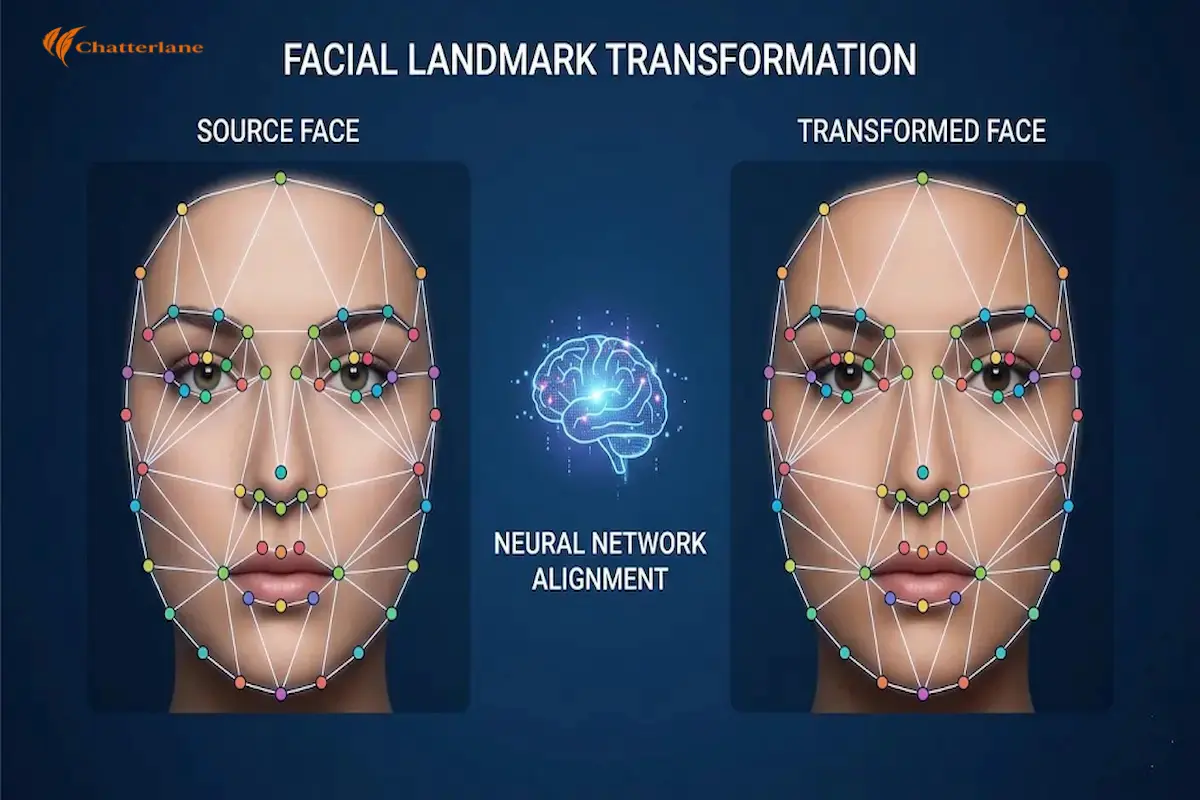
You can think of the AI as a very talented artist who never gets tired. It looks at thousands of data points on a human face to understand how light reflects off the skin. Then, it replicates those exact conditions on the new face it is creating. This process is what makes a face-swapping tool like FaceFusion so incredibly powerful. It doesn’t just copy a face; it understands the “anatomy” of the person it is replacing. This deep understanding is why the final results look so eerily realistic today.
“The power of AI lies in its ability to mimic the nuances of human expression with mathematical precision.” — Chatterlane
The Big Three: Choosing Your Face-Swapping Tool
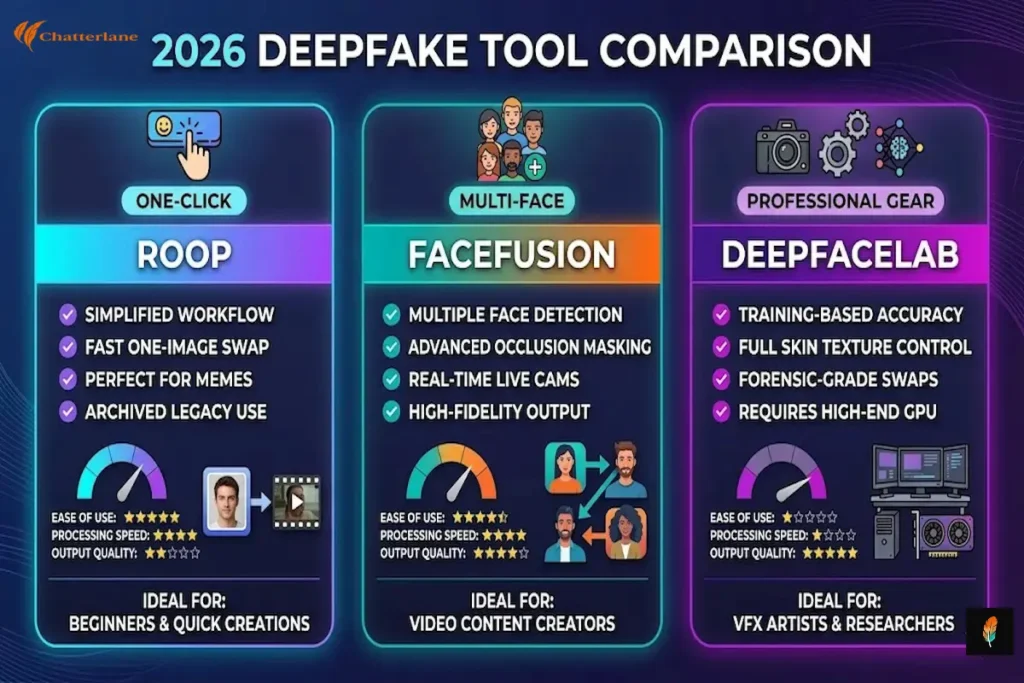
When you start looking for a face-swapping tool in 2026, three names will constantly appear in your search results. Each of these programs serves a different purpose, ranging from simple “one-click” apps to complex professional suites. Understanding the strengths and weaknesses of each will save you hours of frustration.
If you are a beginner, you might feel tempted to download the first thing you see. However, the “best” tool depends entirely on your hardware and your ultimate goals. Let’s break down the current landscape so you can make an informed choice for your next creative project.
1. Roop: The Pioneer of Simplicity
For a long time, Roop was the gold standard for anyone who wanted a quick and easy result. It introduced the concept of “one-shot” swapping, which means you only need a single photo of yourself to begin. This was a massive shift from older methods that required thousands of images.
While the original Roop repository was archived in March 2026, the community has kept it alive. You will now find it under names like Roop-Unleashed or Roop-Floyd. It remains a favorite face-swapping tool for those who value speed over absolute cinematic perfection.
2. FaceFusion: The 2026 Powerhouse
If you are looking for the most trending face-swapping tool right now, FaceFusion is the answer. It has taken the foundation laid by Roop and added professional-grade features. It is particularly famous for its “Many Mode,” which allows you to swap multiple faces in a single video frame.
In 2026, FaceFusion has introduced better “occlusion masking.” This is a fancy way of saying the AI knows when a hand or an object passes in front of a face. This prevents the “glitching” effect that often ruins lower-quality deepfakes, making it a top choice for serious creators.
3. DeepFaceLab: The Professional’s Choice
For those who want results that can fool a forensic expert, DeepFaceLab is still the reigning champion. Unlike the other two, this is not a “quick” face-swapping tool. It requires a process called “training,” where the AI spends hours or days learning a specific face. This software is used by VFX artists and researchers because it offers total control. You can adjust the lighting, the skin texture, and even the way the eyes reflect light. It is a “heavyweight” program that demands a powerful computer with a dedicated NVIDIA graphics card.
“A tool is only as good as the creator’s understanding of its limits and its potential.” — Chatterlane
A Step-by-Step Guide to Your First Face Swap
Starting your journey with a face-swapping tool can feel a bit like learning to drive a high-tech car. In 2026, the process has become much smoother, but it still requires a logical flow to get the best results. We will focus on FaceFusion because it offers a great balance of power and a user-friendly interface.
Before you begin, ensure your computer has a dedicated graphics card for the best experience. While some tools can run on a basic laptop, a “GPU” acts like a turbocharger for AI tasks. This hardware allows the software to process video frames in seconds rather than minutes.
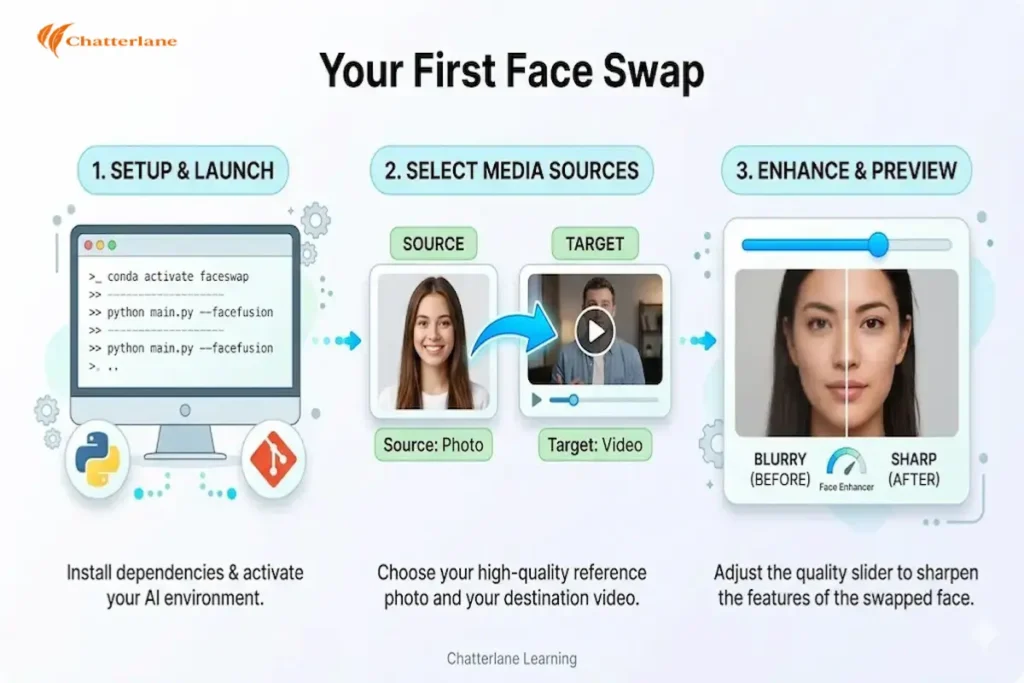
Step 1: Setting Up the Environment
Unlike a standard app you download from a store, a professional face-swapping tool usually runs in a “virtual environment.” This sounds technical, but it just means creating a clean digital space where the software won’t clash with your other programs.
In 2026, most creators use a tool called “Conda” or “Docker” to manage this. Once you have your environment ready, you simply “clone” the software from a place like GitHub. This ensures you always have the most up-to-date version of the code.
Step 2: Choosing Your Source and Target
The “Source” is the high-quality photo of the face you want to use. The “Target” is the video or image where that face will eventually live. For the best results, try to match the lighting of both files as closely as possible.
When you load these into your face-swapping tool, the AI will begin its “Landmark Detection” phase. It scans the source photo to identify the unique structure of the eyes, nose, and mouth. This creates a digital map that the AI will follow during the swap.
Step 3: Refining the Blend and Enhancing
In 2026, the secret to a realistic swap lies in the “Face Enhancer” settings. Most modern tools include a feature that sharpens the new face so it doesn’t look blurry compared to the original video. This is a crucial step for achieving a “cinematic” look.
You can also adjust the “Reference Face Distance” to ensure the AI stays focused on the right person. Once you are happy with the preview, you hit the “Start” button. The face-swapping tool will then work through the video frame-by-frame until your masterpiece is complete.
Common Confusion Point: Why does my swap look “shaky”?
If your final video has a “jitter” or looks like the face is floating, it usually means the “Temporal Smoothing” is turned off. This setting tells the AI to look at the previous frame to make sure the next one follows a natural motion. Another common issue is “Occlusion,” which happens when something passes in front of the face. Higher-end versions of a face-swapping tool like FaceFusion 3.5 have “Auto-Masking” to fix this. It prevents the new face from appearing on top of hands or microphones.
“A successful face swap isn’t just about the technology; it’s about the attention to detail in the final polish.” — Chatterlane
Ethics, Laws, and the 2026 Digital Shield
As we navigate the world of synthetic media, we must address the “elephant in the room.” While using a face-swapping tool can be a fun way to create content, it also carries significant ethical weight. In 2026, the global community has moved past the “Wild West” phase of AI.
We are now seeing the introduction of strict regulations designed to protect our digital identities. These laws aren’t meant to stop creativity, but they are here to ensure transparency. As we discussed in our piece on the Morals of Video Deepfakes, the impact of these videos is very real.
India’s 2026 IT Amendment Rules
If you are operating within India, you must be aware of the new IT Amendment Rules effective as of February 2026. These rules have introduced a mandatory “3-hour takedown” window for harmful synthetic content. This is a massive shift from the previous 36-hour grace period.
Platforms and creators are now legally required to label any media made with a face-swapping tool. If you publish a swap, it must carry a “prominent disclosure” and embedded metadata. This ensures that a viewer knows exactly what they are looking at from the very first second.
The Global Regulatory Wave
While India leads with the 3-hour takedown rule, the United States recently passed the DEFIANCE Act (Jan 2026) through the Senate to provide victims with a direct path to legal damages, ranging from $150,000 to $250,000 per violation. This landmark move shifts the focus toward personal liability for those who create or distribute non-consensual content without permission.
Meanwhile, the EU AI Act enters its final compliance phase in August 2026, mandating that every face-swapping tool must embed “indestructible” watermarks into every file. For creators, this means that “stealth” swaps are becoming a thing of the past as global standards like C2PA make every digital edit traceable. This global alignment ensures that regardless of where you are, synthetic media is moving toward a future of mandatory transparency
This shift toward traceability is governed by the C2PA 2.4 technical specifications, which serve as the global blueprint for content authenticity. By following these industry standards, software developers ensure that every piece of synthetic media carries a permanent, verifiable “birth certificate” that cannot be easily stripped away by compression or editing.
What Most People Are Missing: The Metadata War
What many casual users miss is that 2026 is the year of “Provenance.” Major tech companies are now embedding invisible digital signatures into every image or video created by AI. This is like a permanent, digital fingerprint that cannot be easily erased.
When you use a face-swapping tool like FaceFusion, the software is increasingly designed to interact with these signatures. This helps researchers and detection tools track the origin of a video. It is a vital step in our ongoing Misinformation Threat battle.
The Bigger Picture: Trust in a Synthetic World
We are moving toward a future where “Truth” is something we verify, not something we assume. This shift can feel exhausting, but it also makes us more resilient digital citizens. By learning to spot the artifacts, we are building a “Digital Shield” for ourselves. In 2026, the most successful creators will be those who lead with transparency. If you are using a face-swapping tool for entertainment, simply telling your audience builds trust. This trust is the most valuable currency you have in an era where anything can be faked.
“Regulation is not the enemy of innovation; it is the framework that allows innovation to thrive safely.” — Chatterlane

How to Spot the Glitch: Detection in 2026
As the technology behind the modern face-swapping tool evolves, so must our ability to detect it. In the past, you could easily spot a fake by looking for blurry edges or strange “jittering” around the mouth. However, the 2026 generation of tools like FaceFusion has largely fixed these obvious errors.
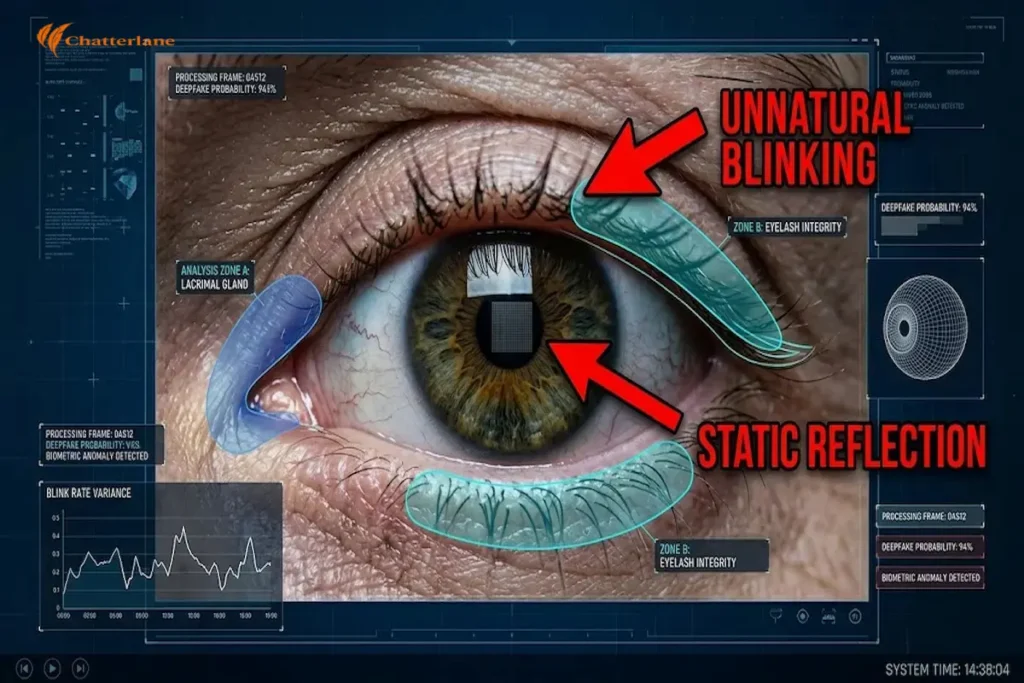
To stay safe, we must shift our focus toward “Biological Signals.” These are the tiny, involuntary actions that humans do naturally but AI still struggles to replicate perfectly. By training your eyes to look for these micro-details, you can become a much more effective digital detective.
1. The Eye-Blink Test
One of the most reliable ways to spot a video made with a face-swapping tool is to watch the eyes. Real humans blink spontaneously and irregularly every two to ten seconds. Surprisingly, many AI models still produce faces that either don’t blink at all or blink in a mechanical, rhythmic pattern.
In 2026, researchers have also noted a lack of “micro-expressions” around the eyes. When a real person smiles, the skin around their eyes crinkles in a specific way. AI often misses these tiny muscle movements, leaving the eyes looking “dead” or static even while the mouth is moving.
2. The Profile Breakdown
Most face-swapping tool models are trained primarily on “front-facing” data, such as selfies and interviews. This means the AI is excellent at rendering a face when it is looking directly at the camera. However, the illusion often shatters the moment the person turns their head to a full profile.
Watch the jawline and the ears as the person rotates their head. In a deepfake, you might see the ear become blurry or the jawline seem to “detach” from the neck for a split second. These “rendering failures” are a clear sign that a digital mask is being used.
3. The Breath and Audio Gap
Audio-visual consistency is the new frontier for detection in 2026. While a face-swapping tool handles the visuals, the audio is often handled by a separate “voice clone.” If you listen closely, you might notice that the person’s breathing doesn’t match the rhythm of their words.
Human speech is messy; we take quick breaths, pause for emphasis, and swallow. Cloned audio often sounds “too clean” or places breath sounds at syntactically incorrect moments. If the lip movements are even a fraction of a second off from the sound, you should treat the video with caution.
What Most People Are Missing: Environmental Lighting
What many casual viewers miss is how light interacts with the environment. A high-quality face-swapping tool tries to match the lighting, but it often fails with “Global Illumination.” This refers to how light bounces off the person’s skin and onto their surroundings. If a person is wearing glasses, look for the reflections. In a genuine video, you will see a clear, moving reflection of the room. In a deepfake, these reflections often look “static” or don’t match the actual environment behind the person. This subtle mismatch is a powerful indicator of manipulation.
“Detection is no longer about finding the mistake; it is about recognizing the absence of human imperfection.” — Chatterlane
FaceFusion vs. Roop-Unleashed: The 2026 Choice
Choosing the right face-swapping tool in 2026 often comes down to two names: FaceFusion and Roop-Unleashed. While both programs allow you to swap faces with incredible ease, they serve slightly different types of creators. Understanding these nuances will help you pick the right software for your specific hardware.
In the current landscape, FaceFusion has taken the lead for users who want a “studio in a box.” It is famous for its “Frame Processor” logic, which allows for multiple enhancements to happen simultaneously. This results in a much sharper final video compared to older versions of similar software.
Why FaceFusion is Trending Right Now
The main reason FaceFusion is the top-trending face-swapping tool is its ability to handle complex lighting. In 2026, it introduced “Directional Light Matching,” which ensures the new face reflects the actual light sources in the scene. This prevents the “sticker” look that often plagues amateur deepfakes.
Furthermore, FaceFusion now supports “Live Preview Enhancement.” This means you can see exactly how the final swap will look before you commit to the hours of rendering. For creators on a tight deadline, this feature is a massive time-saver that ensures high-quality results every time.
The Strengths of Roop-Unleashed
On the other hand, Roop-Unleashed has carved out a niche for “Batch Processing.” If you have a folder full of hundreds of images that all need the same face swap, this is the face-swapping tool for you. It is designed for efficiency and stability during long, overnight tasks.
It also remains the go-to choice for users with mid-range computers. While FaceFusion demands high-end hardware, Roop-Unleashed is better at managing “VRAM” (video memory). This makes it accessible to a wider audience who might not have the latest professional graphics cards.
What Most People Are Missing: Real-Time Virtual Cams
A trending feature most people are missing is the “Virtual Camera” integration in these tools. In 2026, you can link your face-swapping tool directly to apps like Zoom or Discord. This allows for real-time identity swapping during live calls, which is both a creative marvel and a security concern. As we noted in our guide on the Types of Deepfakes, real-time swapping requires immense processing power. However, with the latest 2026 updates, even consumer-grade laptops are beginning to handle this task. This brings us back to the importance of verification in every digital interaction.
The Bigger Picture: Where Do We Go From Here?
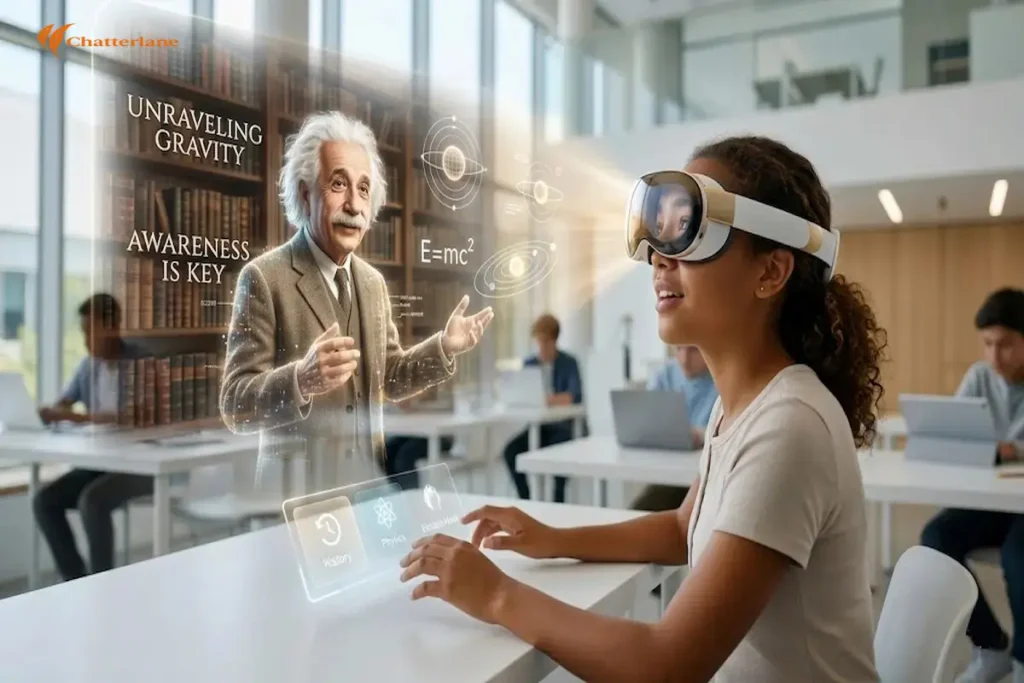
Looking ahead at the rest of 2026 and beyond, the role of the face-swapping tool will continue to expand. We are already seeing these tools being used in “Personalized Education.” Imagine a history lesson where the teacher’s face is swapped with a historical figure to make the story more engaging.
However, this future depends entirely on our ability to maintain “Digital Trust.” As these tools become more powerful, the invisible “Metadata” we discussed earlier will become our primary defense. We are entering an era of “Verified Media,” where every pixel has a digital birth certificate.
The Rise of “Consent-Based” AI
We are also seeing a shift toward “Ethical Generators.” These are versions of a face-swapping tool that require a “Digital Signature” from the person whose face is being used. Without this encrypted consent, the software simply will not run. This is a major step in preventing non-consensual content. This technology is a direct response to the concerns raised in our article on Exploring the Morals of Video Deepfakes. By building ethics into the code itself, we can enjoy the creative benefits of AI without the fear of widespread misuse.
“The future of AI is not just about what we can create, but about the boundaries we choose to respect.” — Chatterlane
Conclusion: Understanding the New Reality
Navigating the world of synthetic media requires a balance of curiosity and skepticism. A face-swapping tool like FaceFusion or Roop is a powerful instrument that can create incredible art or dangerous deceptions. The key to staying safe is understanding the “deepfake meaning” and staying updated on the latest detection methods.

As we move forward in 2026, remember that the most important tool you have is your own critical thinking. Technology will continue to evolve, but our demand for truth and transparency must remain constant. By staying informed through Chatterlane, you are taking the first step toward mastering this new digital reality.
Frequently Asked Questions (FAQ’s)
What is the easiest face-swapping tool for a beginner in 2026?
FaceFusion is currently the best choice for beginners. It offers a “one-click” installer and a clean interface that guides you through the process without needing to write any code.
Can I use a face-swapping tool for professional work?
Yes, many VFX artists use tools like DeepFaceLab for high-end movie projects. However, you must always ensure you have the legal right to use the likenesses involved in your project.
How do I stay safe from deepfake fraud?
A: Always verify the identity of the person on a video call if they ask for sensitive information. Look for the “C2PA” verification badge, which is the 2026 standard for authentic digital media.
Is there a free face-swapping tool that works on Mac?
While most tools are optimized for NVIDIA (Windows), FaceFusion has limited support for Apple’s “Metal” framework. However, performance will be slower than on a dedicated PC.
Why does my face-swapping tool keep crashing?
This is usually due to “Out of Memory” (OOM) errors. Try reducing the “Execution Threads” in your settings or lowering the output resolution to match your computer’s hardware limits.